
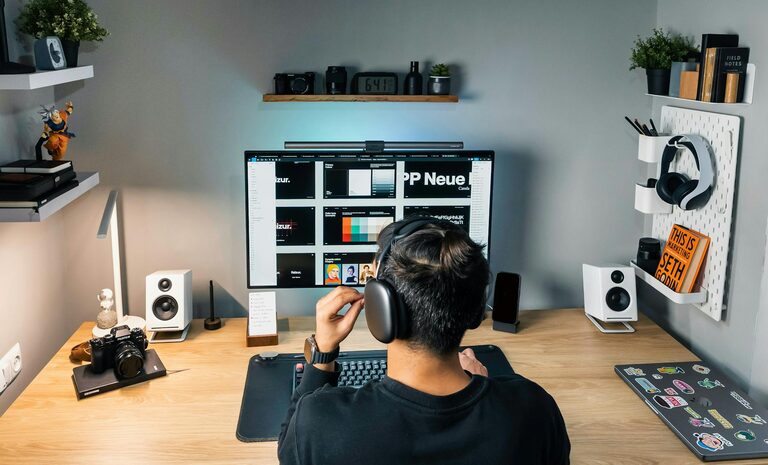
Creating a home workspace that is both comfortable and productive can make a significant difference in your daily work routine. Whether you work remotely full-time or occasionally need a quiet spot to focus, having a dedicated area that supports your tasks helps reduce distractions and promotes better work habits. In this article, we’ll explore effective tips to set up a home workspace tailored to your needs, ensuring it remains a pleasant and efficient environment.
Why a Dedicated Workspace Matters
Having a specific place designated for work separates your professional activities from the rest of your daily life. This separation helps with mental focus and builds a routine around your work hours. Without a dedicated space, it’s easy to become distracted or feel constantly “on” without clear boundaries, which can lead to burnout or decreased productivity.
Choose the Right Location
Start by selecting the best spot in your home for your workspace. Ideally, this should be a quiet area that receives natural light but avoids harsh glare on your computer screen.
– Quiet zones: Look for rooms or corners away from high-traffic areas like the kitchen or living room.
– Natural light: Position your desk near a window to improve mood and reduce eye strain.
– Avoid distractions: Stay away from TVs, noisy appliances, or spaces where others tend to gather.
If space is limited, even a small corner with a compact desk can work well.
Invest in Ergonomic Furniture
Comfort is key to maintaining productivity, especially when working long hours. Ergonomic furniture supports proper posture and reduces the risk of discomfort or injury.
– Chair: Choose an adjustable office chair with lumbar support to keep your back aligned.
– Desk: Ensure your desk is the right height so your forearms can rest parallel to the floor while typing.
– Monitor setup: Position your monitor at eye level, about an arm’s length away, to minimize neck and eye strain.
Consider accessories like footrests, wrist supports, or laptop stands for added comfort.
Organize for Efficiency
A clutter-free workspace helps maintain focus by reducing distractions. Organize your desk and supplies so everything you need is easy to find.
– Use drawers or desktop organizers to keep pens, notebooks, and electronics tidy.
– Minimize non-essential items on your desk.
– Set up cable management solutions to prevent tangled cords and a messy look.
Regularly declutter your space to keep it inviting and well-functioning.
Personalize Your Space
Adding personal touches can make your workspace feel welcoming and motivate you throughout the day.
– Include plants to add greenery and improve air quality.
– Hang artwork or photos that inspire or relax you.
– Choose color schemes and decor that suit your preferences without overwhelming the space.
A personalized environment promotes well-being and enjoyment while working.
Manage Lighting and Noise
Proper lighting reduces eye strain, while controlling noise levels supports concentration.
– Use a combination of natural and artificial light; consider a desk lamp with adjustable brightness.
– Position screens and lights to avoid glare.
– Use noise-canceling headphones or ambient sound apps if your environment is noisy.
– If possible, add rugs or curtains to soften sound.
Adjust the lighting and sound settings to what feels most comfortable for you.
Set Clear Boundaries and Routines
Creating a structured work routine helps you stay productive and maintain work-life balance.
– Define specific work hours and stick to them.
– Inform family or housemates of your schedule to minimize interruptions.
– Take regular breaks to stretch and rest your eyes.
– Clean up your workspace at the end of each day to create a clear boundary between “work” and “home.”
Routines build habits that improve productivity and prevent burnout.
Utilize Technology Wisely
Technology is integral to a home workspace, but managing it effectively can enhance your productivity.
– Use reliable internet and backup options if possible.
– Keep software and antivirus programs up to date.
– Customize notifications to reduce distractions during deep work.
– Use productivity tools like calendars, task lists, or focus timers.
Optimizing your tech setup makes daily work smoother and more efficient.
Keep Health in Mind
Your physical and mental health impacts your performance and comfort while working from home.
– Stay hydrated and have healthy snacks available.
– Incorporate movement breaks into your day, such as stretching or short walks.
– Maintain good posture and adjust your workstation setup regularly.
– Practice mindfulness or relaxation techniques to manage stress.
Prioritizing health helps sustain productivity and overall well-being.
—
By applying these simple but effective tips, you can design a home workspace that supports your needs, reduces distractions, and makes working from home a more enjoyable and productive experience. Remember that creating your ideal setup is a personal process — make adjustments as needed to find what works best for you.